- Knowledge Base Categories:
- School Accounting System
- Payroll
FAQ: How can I submit multiple payrolls on one file for the Kansas Retirement Report?
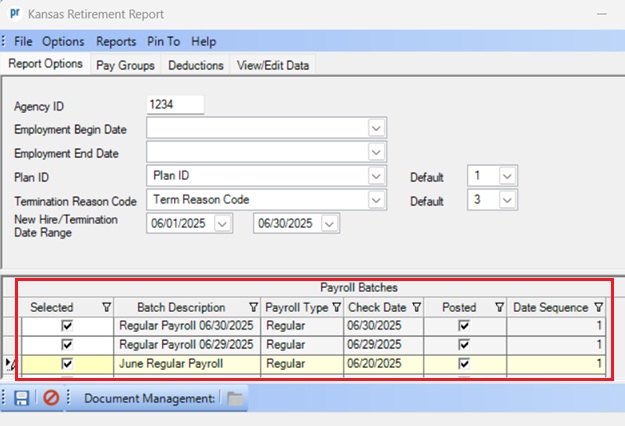
When generating the Kansas Retirement Report, on the Report Options tab, select all the appropriate payroll batches (and date sequences, if applicable) in the Payroll Batches List to include on the report (and file), as shown below. The information for the selected payrolls will be included on the report and also when creating the file to submit to the Retirement Office. In the example below, three batches are selected to be included in order to submit only one file to the Retirement Office for the information for all the payrolls in June.