- Knowledge Base Categories:
- School Accounting System
- Accounts Payable
- End of Fiscal Year
FAQ: How do I correct a purchase order after it has been expensed?
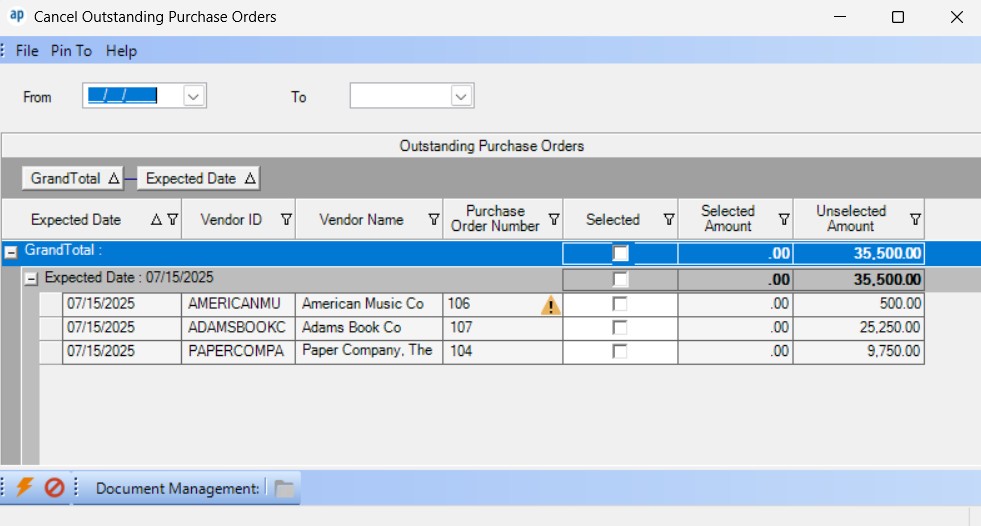
After expensing a purchase order, if it needs to be cancelled (no longer will receive the items on the expensed, outstanding purchase order), use the Cancel Outstanding Purchase Orders option to cancel the remaining balances for all the line items on the purchase order. A warning icon will display to the right of an expensed purchase order number as a reminder that manual journal entries will need to be completed in General Ledger if the purchase order is cancelled (because the expensing entries will not automatically be reversed); see below for an example of the warning icon with purchase order number 106. To access the Cancel Outstanding Purchase Orders option, select the Options menu from the Accounts Payable screen, and then Cancel Outstanding Purchase Orders. For step-by-step instructions, see the Cancelling Outstanding Purchase Orders topic in the Help File.
Otherwise, to correct the expensed purchase order, first cancel the incorrect purchase order (using the Cancel Outstanding Purchase Orders option and record the manual journal entry), then enter another purchase order and expense it.
Tip: For some districts (Kansas school districts in particular), rather than cancelling the expensed purchase order (and recording the manual journal entry), they choose to apply the encumbered amount to a different item that uses the same account number; for example, if the expensed purchase order was for pencils but they were not able to get the pencils, they apply the encumbered amount by invoicing the expensed purchase order for a related item, like pens or erasers.
Note: Typically, the manual journal entries (MJE) to record in General Ledger if an expensed purchase order is cancelled would be:
If posting MJE in same year when purchase order was expensed:
CREDIT expense account
DEBIT Accounts Payable balance sheet account
If posting MJE in following year from when purchase order was expensed:
CREDIT revenue account for Refund of Prior Year Expense Accounts
DEBIT Accounts Payable balance sheet account