- Knowledge Base Categories:
- School Accounting System
- Payroll
FAQ: My organization offers a Self-Insured Medical Expense Reimbursement Plan (SIMERP); how do I set this up in Payroll?
If your organization offers employees a Self-Insured Medical Expense Reimbursement Plan (SIMERP), complete the steps below to set up the following deductions:
- In the Deduction File, set up a SIMERP deduction as an Add type deduction with a deduction sequence of 100. This deduction will not have any taxes or retirement deductions selected for cross references. Also, in the Cross References List, select the applicable pay codes.

- Add a second deduction set up as a Deduction type deduction for the insurance company with a deduction sequence of 500. In the Cross References List, unselect the taxes for FIT, SIT (if applicable), Social Security, and Medicare, and select the applicable retirement deductions in addition to the appropriate pay codes.

- If applicable, add a third deduction for service fees. This deduction is a Deduction type deduction and is set up as post tax. (Note: In the example below, the deduction for the service fees is paid by the employee.)
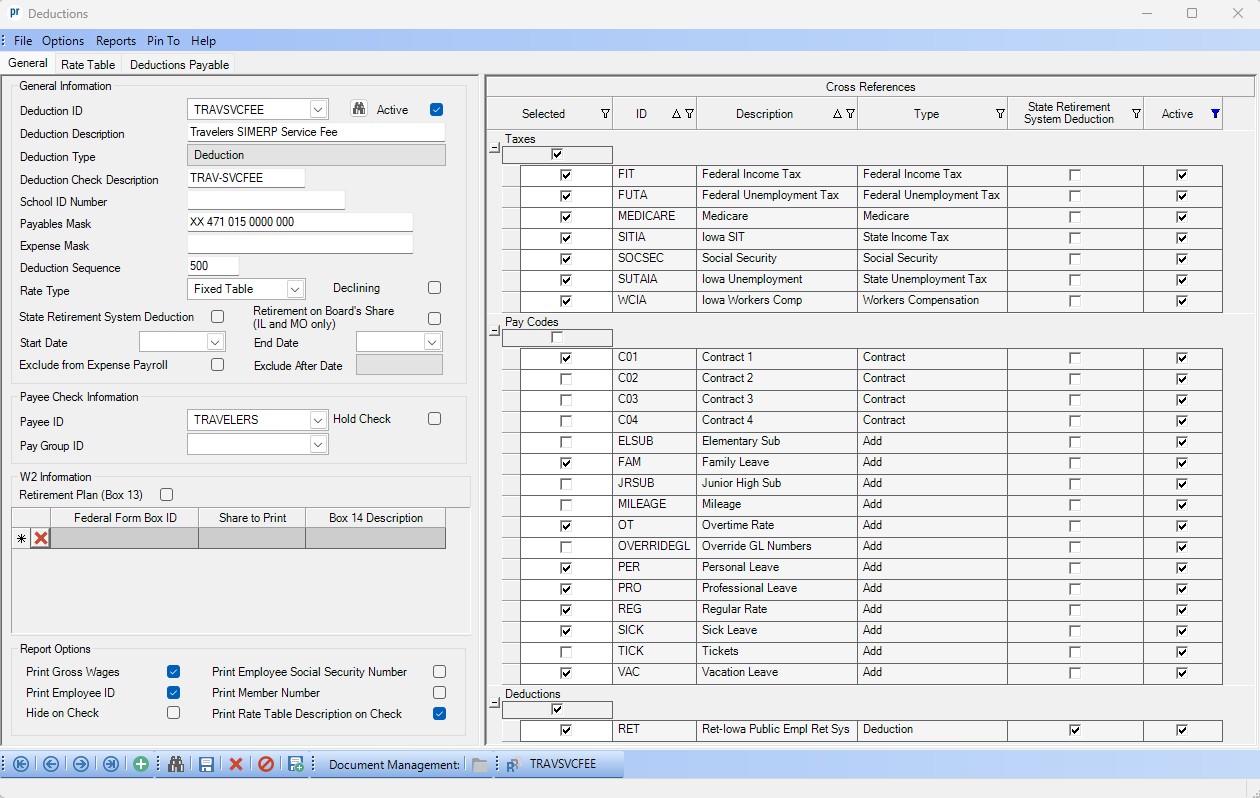
- Set up the deductions in the Employee File for each employee participating in the SIMERP. The Add type SIMERP deduction is set up as employer paid, and the second and third deductions are set up as employee paid. The rates will be the same for the first two deductions, while the applicable service fee amount is set for the third deduction. (Note: If the service fees at your organization are paid by the employer, add that deduction in the Employee File as employer paid instead of employee paid.)

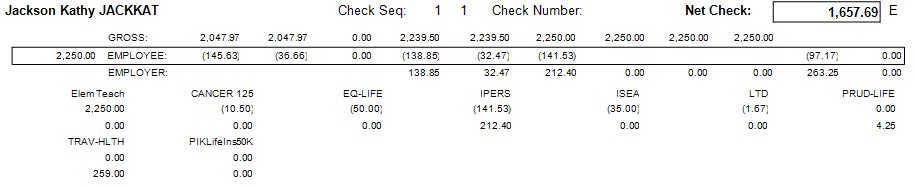
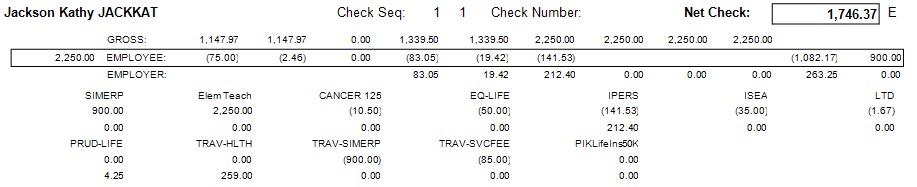
Tip: Below are examples of an employee set up with and without the SIMERP deductions. In the example, there are tax savings of $88.68 per pay period for the employee with the SIMERP deductions, for a savings total of $1064.16 over 12 months.
With SIMERP deductions:
Without SIMERP deductions: