- Knowledge Base Categories:
- School Accounting System
- Payroll
Training Tidbit: Is there a way to view the payroll entry that was created from a leave request?
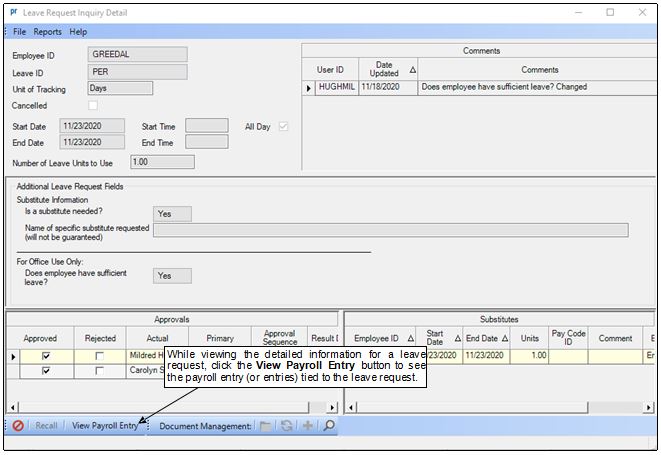
Yes, if a leave request has been selected and brought into a batch of Employee Absences or Pay Period Entries, the information for the payroll entry (or entries) can be viewed from within the Leave Request Inquiry option.
To access the Leave Request Inquiry option, select the Options menu in Payroll, Leave Requests, and then Leave Request Inquiry. To complete the Leave Request Inquiry, specify the employee for which to complete the inquiry in the Employee ID field, and then double-click the desired leave request entry in the Leave Requests List (or on the calendar). Once the detailed information for the selected leave request displays, click the View Payroll Entry button to view the information for the payroll entry (or entries) tied to the selected leave request. (Tip: The View Payroll Entry button is only enabled if the leave request has a status of Approved and has been brought into a batch of Employee Absences or Pay Period Entries.)
Note: For more detailed instructions, refer to the Completing a Leave Request Inquiry topic in the Help File.